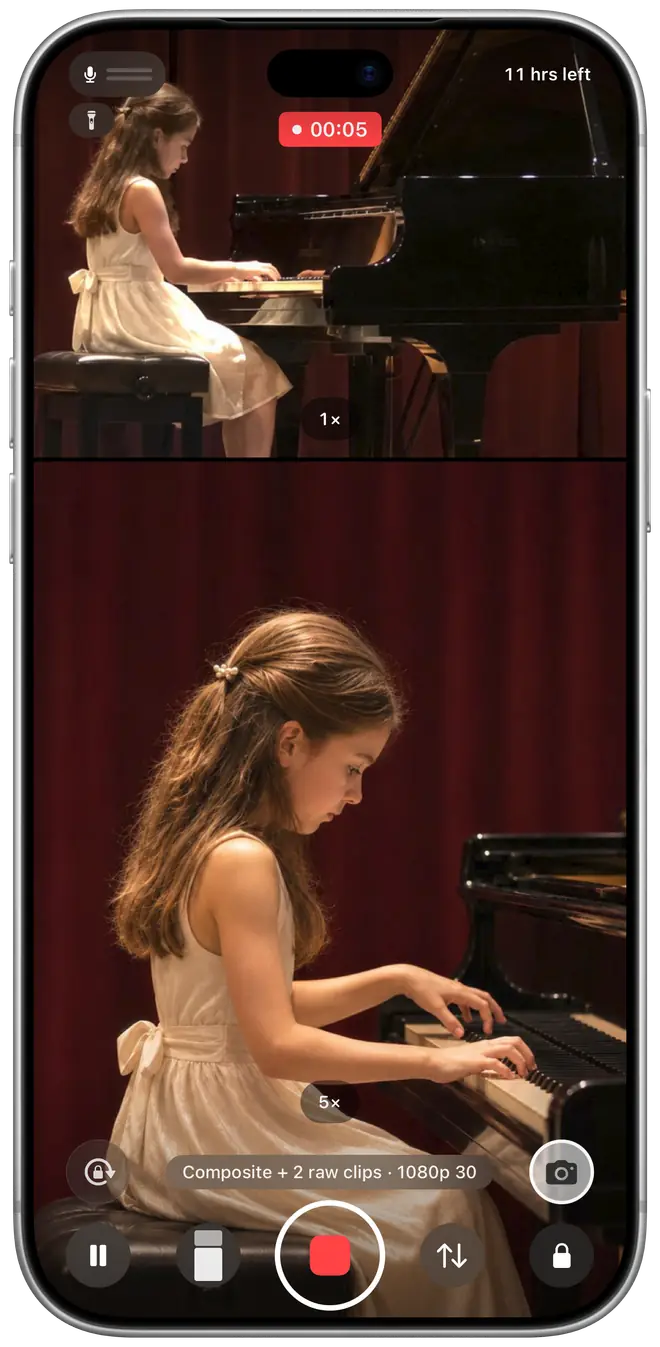
Double-tap to swap, even while recording
Want the close-up bigger? Double-tap it and it trades places with the main view. The video follows from that moment on. Any camera can go in any spot.
Multi-camera recorder for iPhone
Shoot with two or three cameras at once on one iPhone: the wide shot, the close-up and you, all in one take.
Coming soon to the App Store
Free to try · Pro is a one-time purchase, not a subscription
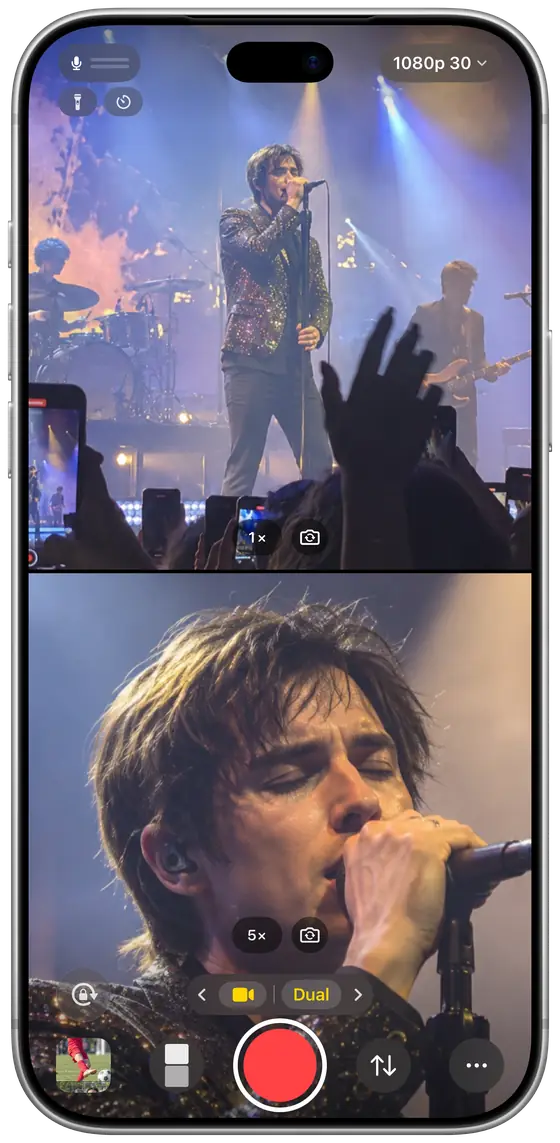
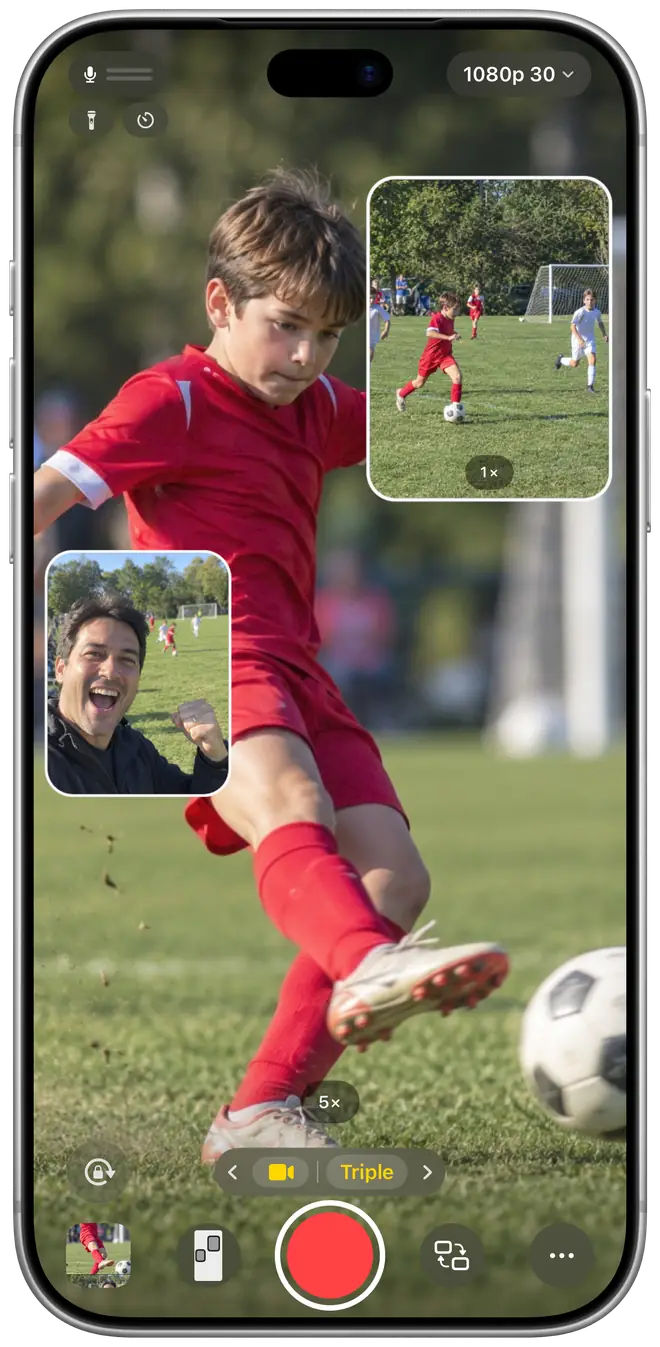
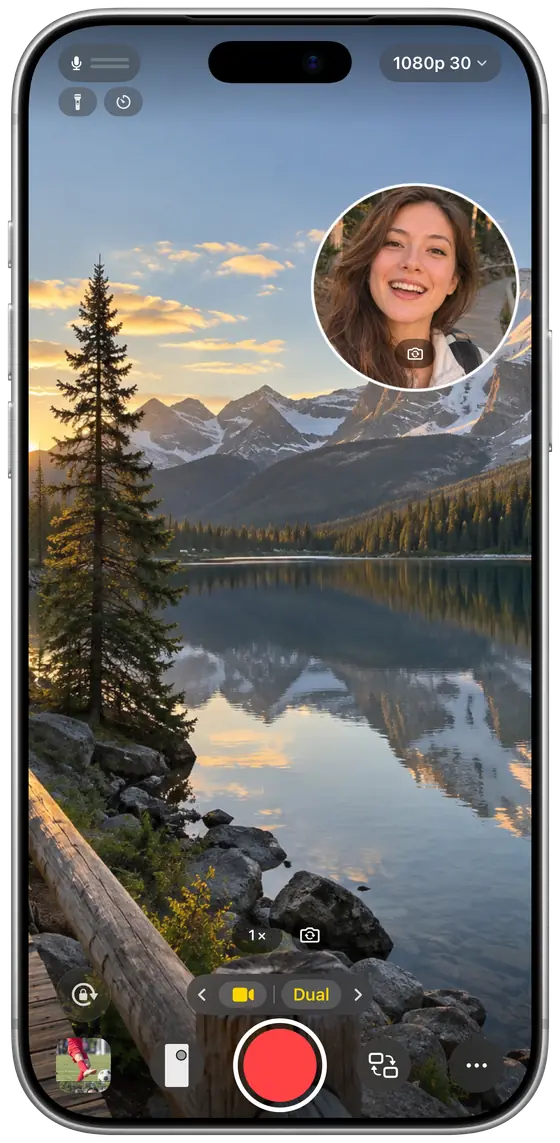
TakeAll runs two back cameras and the front camera together and lays them out live in one frame. Stop recording and your video is done. No editing.

Wide 1×
The whole field

Close-up 5×
Your kid, up close

You Front
Your reaction

One finished video
Change the layout anytime, or double-tap to swap views mid-recording
5× is the telephoto camera on models such as iPhone 15 Pro Max. Available cameras vary by model; models without a telephoto camera use Ultra Wide + Wide. Pro also saves a separate clip from each camera for multicam editing.
Concerts, games, recitals, trips: one app for all of them, with 5 layouts each for Dual and Triple, in portrait or landscape.



Illustrations: the camera images are AI-generated; the layouts are the app’s own.
Want the close-up bigger? Double-tap it and it trades places with the main view. The video follows from that moment on. Any camera can go in any spot.
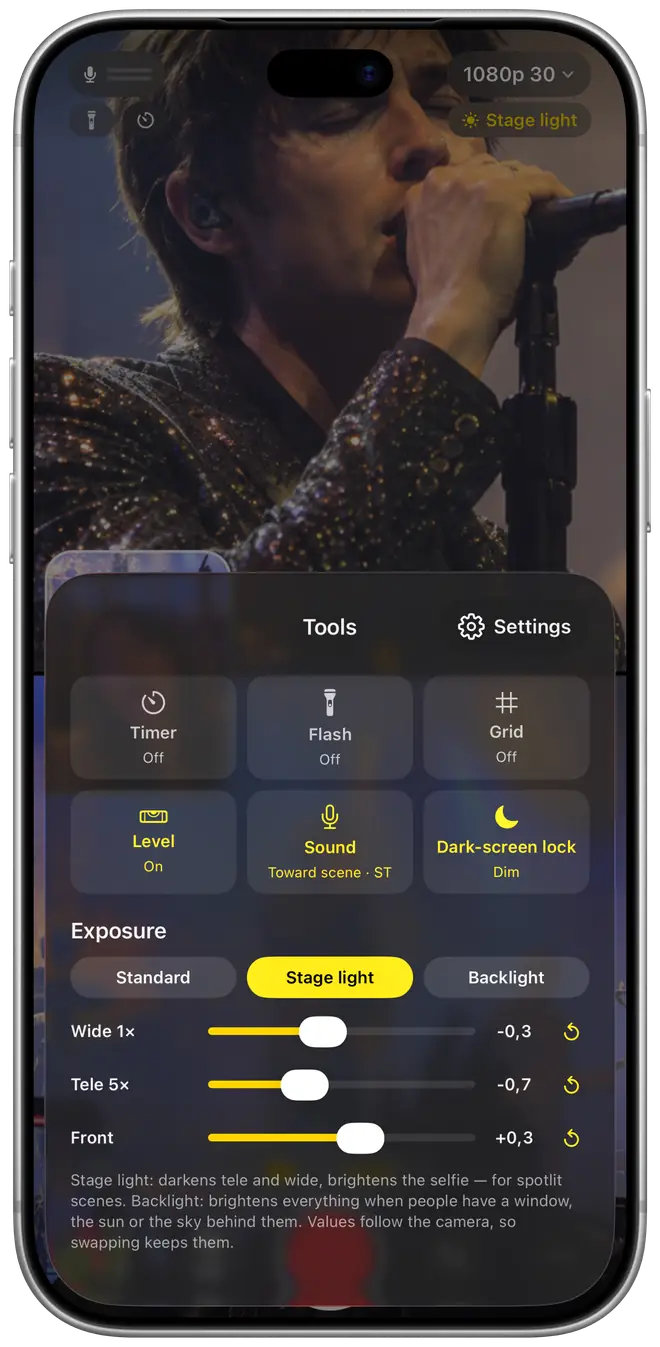
These tools are free. To record longer than 15 seconds at a time, you need Pro.
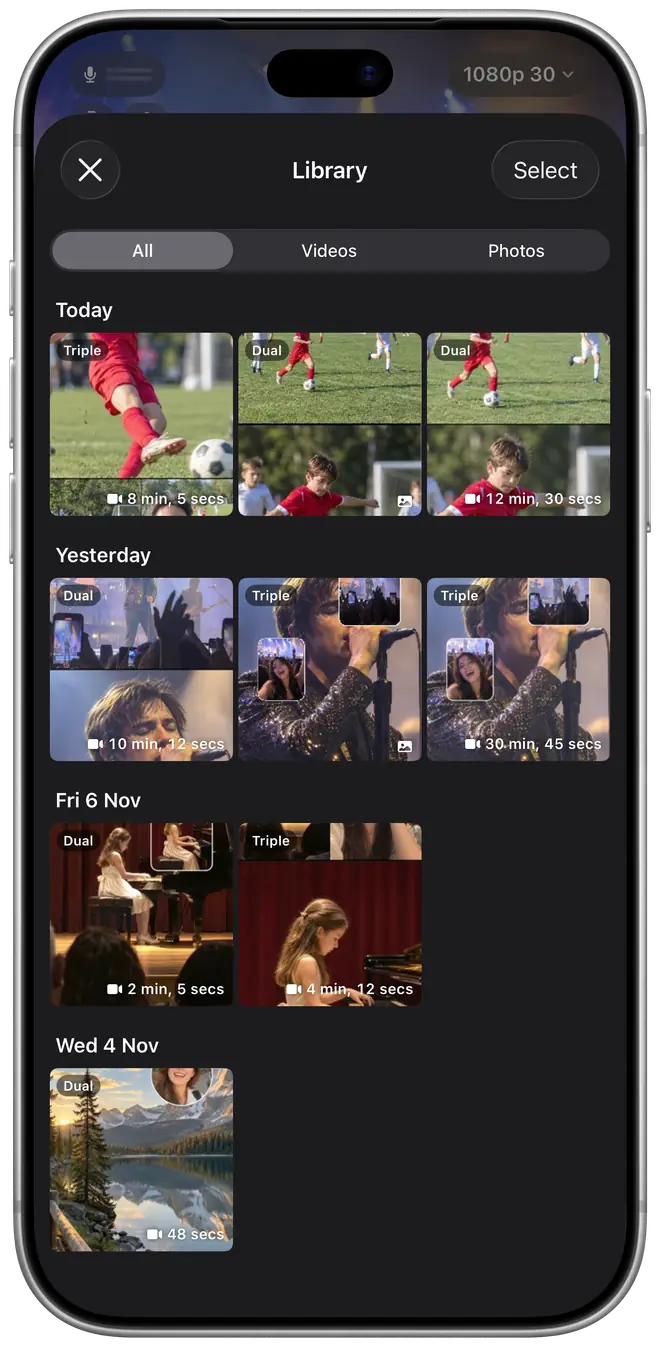
Play the finished video or each camera’s own clip, and see when you shot it, how long it runs, which cameras and what quality. Switch to Photo to take Dual or Triple shots with the same layouts.
No subscription. No ads in the app.
LifetimePay once, no subscription. Family Sharing for up to 6 people. Future improvements to Pro features included.
7-day passJust need the next event? Pro for 7 days. It doesn’t renew, and within 14 days you can upgrade to Lifetime by paying the difference.
Prices are shown in the App Store and vary by country or region.
TakeAll has no accounts, no ads in the app and no analytics or tracking tools. Your videos and photos are saved to your Photos library and never uploaded. Purchases are handled by Apple; we never see your payment details.
It’s in beta testing now and will come to the App Store as soon as it’s ready.
TakeAll needs iOS 18 or later and works on iPhone XS, iPhone XR and later. Which cameras you can combine, and whether 4K and 60 fps are available, depends on the model. Models with one back camera can record the front and back cameras together.
Use every camera combination and layout, Triple included. Clips are up to 15 seconds, 4 a day, and end with a 3-second TakeAll end card. You can also take 10 photos a day, with a small badge.
No. Lifetime Pro is a one-time purchase, and the 7-day pass doesn’t renew or charge you again.
Yes. Lifetime Pro supports Family Sharing for up to 6 people, including you. Purchase Sharing must be on (in iPhone Settings › Family Sharing › Purchase Sharing), and everyone’s App Store must be in the same country or region. Your family members just open TakeAll; if Pro doesn’t show, they tap Restore Purchases in TakeAll’s settings. The 7-day pass is for the buyer only.
No. They’re saved to the Photos library on your iPhone, and we never see them.
Email support@takeall.app and the TakeAll team will get back to you soon.

Coming soon to the App Store